
Download Audials Vision – AI video enhancement, 4K upscaling, HDR conversion
Overview
Audials Vision is a premium AI‑driven video editing suite crafted by Audials AG for creators, hobbyists, and anyone who wants to transform ordinary footage into a visual masterpiece. Leveraging state‑of‑the‑art artificial intelligence, the platform can clean up blurry clips, boost color fidelity, upscale resolution to true UHD 4K, and even convert standard video into HDR‑ready content. The software shines when dealing with content sourced from streaming services, home recordings, or legacy media files that suffer from low bitrate or compression artifacts.
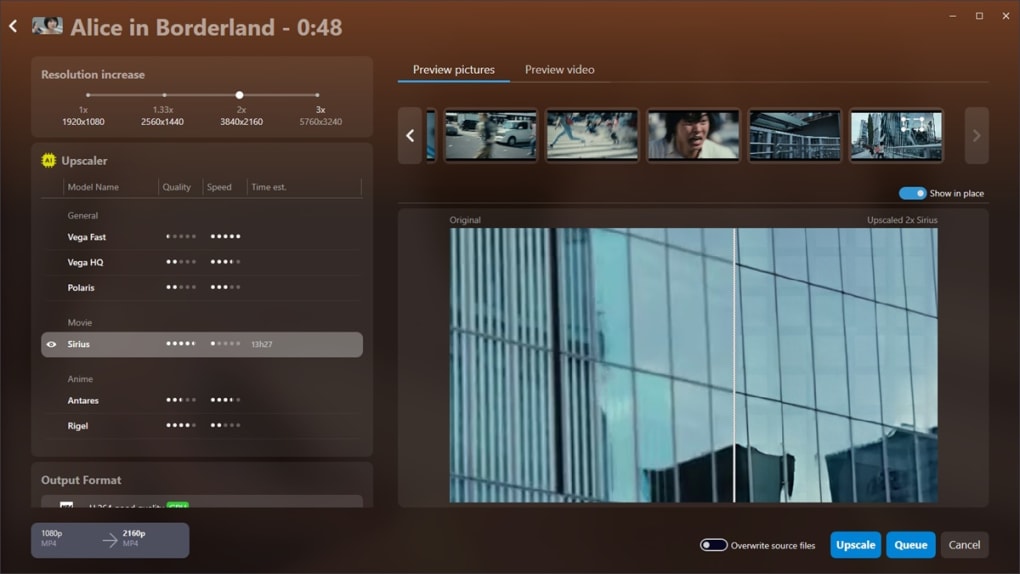
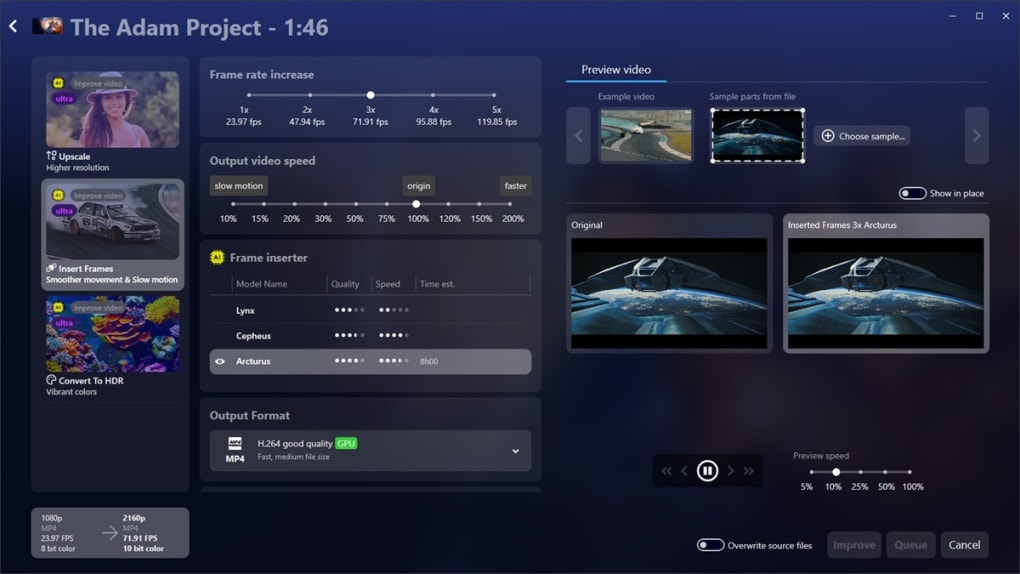
Its integrated preview window lets users instantly compare the original and enhanced versions, making it easy to see the dramatic lift in sharpness, contrast, and overall visual appeal. Beyond upscaling, Audials Vision introduces AI‑generated intermediate frames that smooth out fast‑motion scenes, enabling slow‑motion playback without the usual jitter. Ten distinct AI models give users fine‑grained control over the enhancement process, whether the goal is subtle clarity or a bold, cinematic look.
An embedded subtitle search engine further rounds out the offering, automatically fetching multilingual subtitles to match the edited video. While the feature set is expansive, newcomers may encounter a learning curve, especially if they are not accustomed to AI‑centric workflows. Nonetheless, for anyone serious about extracting the maximum quality from existing footage, Audials Vision delivers a secure, regularly updated solution that merges powerful technology with an intuitive interface.
Key Features & Installation Guide
- AI‑powered upscaling to true UHD 4K resolution.
- Advanced de‑blur algorithm that converts fuzzy clips into crisp visuals.
- HDR conversion for richer colors and deeper contrast on compatible displays.
- AI‑generated frame interpolation for ultra‑smooth playback and slow‑motion effects.
- Ten customizable AI models tailored for various content types and user preferences.
- Integrated subtitle search engine supporting dozens of languages.
- Side‑by‑side preview mode for instant comparison of original vs. edited video.
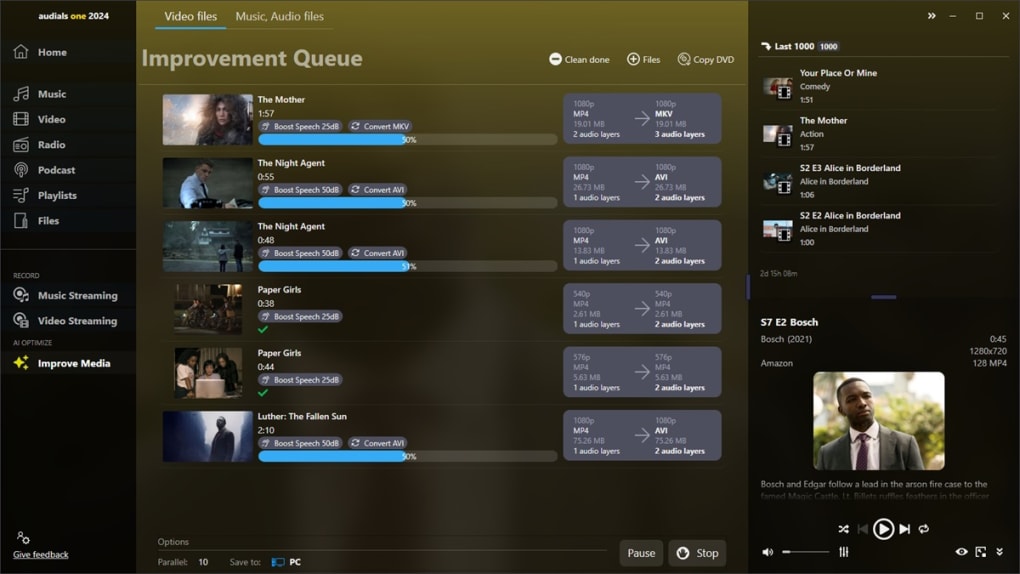
- Batch processing to handle multiple files with a single click.
- Secure cloud‑based updates ensuring you always have the latest AI models.
- Cross‑platform compatibility with Windows 10/11 and macOS 12+ (Intel & Apple Silicon).
Installation & First‑Run Setup
Downloading Audials Vision is straightforward. Visit the official Audials website, click the “Download for Windows” or “Download for macOS” button, and save the installer to your computer. For Windows users, the installer is an .exe file; macOS users receive a signed .dmg package.
Run the installer and follow the on‑screen prompts: accept the license agreement, choose the installation directory (the default works for most users), and let the wizard copy the necessary files. Once installed, launch Audials Vision; the first launch triggers an automatic check for the latest AI model packs and updates. This process requires an internet connection but only occurs once per major release, keeping the application lightweight.
Operating System Compatibility
Audials Vision is built for modern desktop environments. It runs natively on Windows 10 and Windows 11 (both 64‑bit) and supports macOS 12 Monterey and later, including Apple Silicon (M1/M2) thanks to Rosetta 2 compatibility for Intel‑based components. System requirements are modest: a dual‑core CPU, 8 GB RAM (16 GB recommended for 4K upscaling), and a GPU that supports OpenGL 4.5 or Metal (on macOS). For optimal performance, especially when processing large 4K files, a dedicated graphics card (NVIDIA GeForce GTX 1660 or higher, AMD Radeon RX 5600 or higher) is advisable.
Getting Started with an Edit
After the initial update, click “Add Media” to import a video file. Choose one of the ten AI models from the dropdown—“Sharp 4K” for maximum detail, “Soft HDR” for a cinematic look, or “Smooth Motion” for frame interpolation. Adjust sliders for brightness, contrast, and saturation if desired, then hit “Preview.” The split‑screen view shows the original on the left and the AI‑enhanced version on the right.
Satisfied? Click “Export,” select your target format (MP4, MOV, MKV), and let Audials Vision render the final file. The entire workflow is designed to be as frictionless as possible while still offering deep customization for power users.
Pros & Cons
Pros
- Exceptional AI upscaling that truly reaches UHD 4K quality.
- De‑blur and HDR conversion tools that dramatically improve visual fidelity.
- Frame interpolation for ultra‑smooth playback and creative slow‑motion.
- Ten AI models provide flexibility for a wide range of editing needs.
- Built‑in subtitle search saves time when preparing multilingual releases.
- Side‑by‑side preview makes it easy to judge the impact of each adjustment.
- Regular, secure updates keep AI models current without manual effort.
- Cross‑platform support for both Windows and macOS.
Cons
- Steeper learning curve for users unfamiliar with AI‑based editing concepts.
- High‑resolution upscaling can be CPU/GPU intensive, requiring robust hardware.
- No native Linux version, limiting adoption among open‑source enthusiasts.
- Batch processing UI could be more intuitive for large media libraries.
- Premium pricing model may deter casual users who need only occasional enhancements.
Overall Verdict: Audials Vision stands out as one of the most advanced AI video enhancement tools on the market. Its ability to turn low‑quality footage into 4K‑ready, HDR‑compatible masterpieces is impressive, though the software is best suited for users willing to invest time learning its depth.
Frequently Asked Questions
Can Audials Vision upscale videos from 1080p to true 4K?
Yes. The AI‑upscaling engine analyses pixel data and reconstructs missing detail, delivering a genuine 3840 × 2160 output that looks natural on 4K displays.
Is there a free trial available?
Audials Vision offers a 14‑day free trial with full feature access, allowing users to test upscaling, HDR conversion, and subtitle search before purchasing.
What video formats does Audials Vision support for import and export?
Import formats include MP4, MOV, AVI, MKV, and WMV. Export options cover MP4 (H.264/H.265), MOV, and MKV, with selectable codecs and bitrate controls.
Does the software work on Apple Silicon Macs?
Yes. Audials Vision runs natively on M1/M2 chips, and the AI models are optimized for Apple’s Metal framework, delivering fast processing on the latest Mac hardware.
How does the subtitle search engine find the correct language files?
The built‑in engine queries multiple open subtitle databases, matches file hashes, and filters results by language and release timing to provide accurate subtitles for the edited video.
Conclusion & Call to Action
Audials Vision packs a remarkable suite of AI tools into a single, user‑friendly application. Whether you’re restoring cherished family recordings, polishing indie film projects, or simply upgrading YouTube clips to 4K brilliance, the software delivers measurable visual improvements that rival professional post‑production pipelines. While the initial learning curve may feel intimidating, the comprehensive tutorials and responsive support community help users climb the steepness quickly. If you’re ready to transform blurry, low‑resolution footage into stunning, HDR‑ready masterpieces, click the button below to start your free trial and experience the power of AI‑driven video enhancement.







